
I spend a ridiculous amount of time typing. Whether I’m writing an email, replying to a WhatsApp message, working on a blog, writing a script, taking notes, or simply trying to get an idea out of my head, I’m usually sitting in front of a keyboard. And for the longest time, I never really questioned it. That’s just how you work on a computer, right? You think about something, open a document, and start typing.
Then I started using Wispr Flow, and it made me realize how slow that process can actually be.
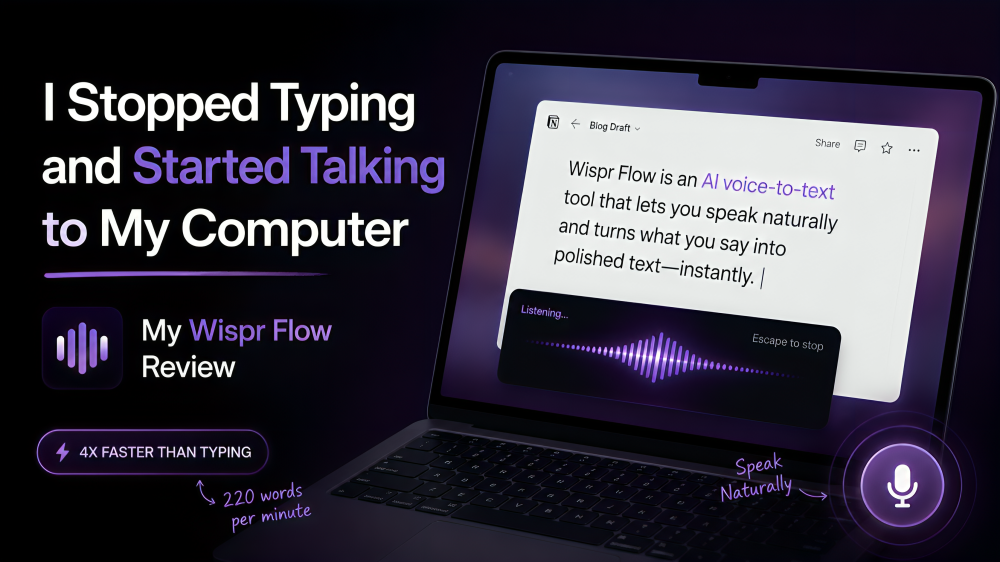
Wispr Flow is an AI voice-to-text tool that lets you speak naturally and turns what you say into polished text inside the apps you already use. You can use it across things like Gmail, Google Docs, Notion, WhatsApp, Cursor, and pretty much anywhere else where you can type. Wispr Flow says the average person types at around 45 words per minute while Flow can handle around 220 words per minute, which is where its claim of being roughly four times faster than typing comes from.
But the speed wasn’t actually what convinced me.
It was how much easier it became to get a thought from my head onto a screen.
I’ve Tried Voice Typing Before
I’ve used voice typing plenty of times before, and I’m sure you have too. You press a microphone button, start speaking, and words appear on the screen. It works, but the experience has never really felt like a replacement for typing. You still have to speak very carefully, it can struggle with names or unusual words, and you often end up going back and fixing punctuation, grammar, and sentences that didn’t come out the way you intended.
That’s what I expected from Wispr Flow as well.
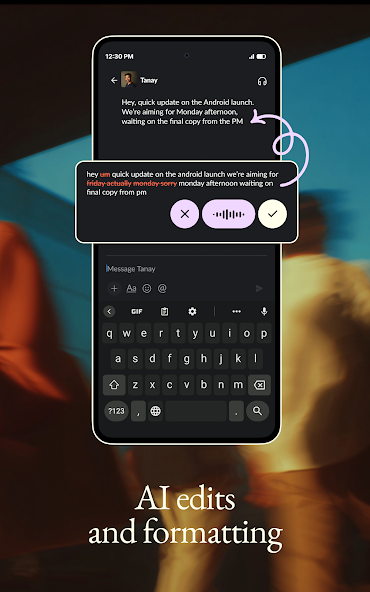
But Flow feels different because you’re not really being asked to dictate a sentence word-for-word. You can speak naturally, change your sentence halfway through, use filler words, pause, or explain something the way you would explain it to another person, and Flow cleans that up as it turns your speech into writing. Wispr Flow specifically uses context to handle things like uncommon names and jargon, and it can learn your personal vocabulary over time.
That makes a surprisingly big difference.
Instead of thinking, “How do I dictate this sentence?”, I can just think, “What am I trying to say?” and say it.
The First Time It Really Clicked
The first time I understood why this could be useful was when I had an idea I wanted to write down.
When I type, I’m constantly thinking about two things at the same time: what I’m trying to say and how I’m going to write it. I’ll start a sentence, delete half of it, rewrite it, think about the next paragraph, go back to the first paragraph, and sometimes completely lose the original thought that made me start writing in the first place.
Talking is different.
When I’m speaking, I don’t have to worry about whether the sentence looks good on the screen. I can simply explain what I’m thinking. I can go on a bit of a tangent, correct myself, add more context, and figure out what I’m actually trying to say while I’m talking. And Flow turns that into something much closer to usable writing.
That was the moment I stopped thinking about it as a better dictation tool and started thinking about it as a different way of writing.
You Don’t Have to Talk Like a Robot
This is probably my favourite part of Wispr Flow.
With traditional dictation, I’ve always felt like I had to speak in a very specific way. Short sentences, clear pauses, almost like I was reading something aloud to a machine. With Flow, I can talk much more naturally.
I can start a sentence, interrupt myself, realize I said something incorrectly and correct it, or add a thought halfway through. Flow is designed to clean up those natural speaking patterns and turn them into coherent writing rather than leaving you with a raw transcript. It also handles punctuation and formatting, so the result doesn’t feel like someone simply copied an audio recording into a text box.
That changes the entire experience because you’re no longer trying to sound good while speaking. You’re just trying to think clearly.
It Works Everywhere I Already Work
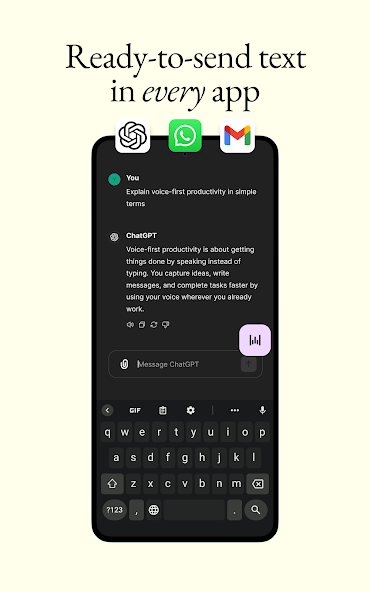
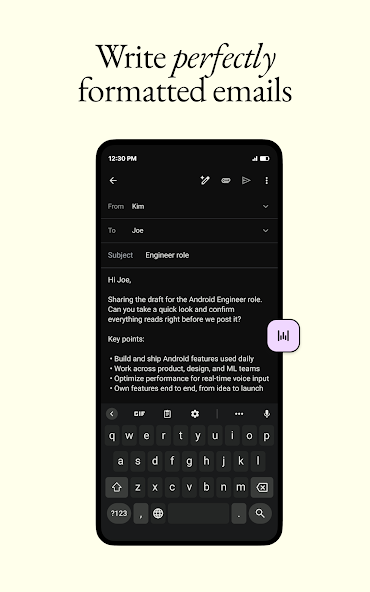
Another reason I ended up using Wispr Flow much more than I expected is that I didn’t have to change where I work. Flow is designed to work wherever there’s a text field, and Wispr currently supports Mac, Windows, iPhone, and Android. That means the same basic workflow follows you from your laptop to your phone instead of forcing you into one particular app.
For me, that matters because most of my work isn’t happening inside one platform. I’ll write something in Google Docs, send a message on WhatsApp, reply to an email in Gmail, take a note in Notion, and then jump into an AI tool to work on something else. If a productivity tool only works in one place, I usually end up forgetting about it.
With Flow, I can press the shortcut, talk, and have the text appear wherever my cursor is.
That makes it feel less like another app and more like an input method for my computer.
It Got Better the More I Used It
One of the things I didn’t expect was how much Wispr Flow adapts to the way you actually communicate.
Flow learns your vocabulary, including names, industry-specific terminology, and words that might otherwise be difficult for speech-to-text systems to recognize. It can add words automatically when you correct them, and you can also build your own dictionary.
This becomes especially useful when you regularly talk about specific people, companies, products, or technical terms.
There are also Snippets, which I ended up finding surprisingly useful. You can create a short voice trigger for something you type regularly, such as your email address, a scheduling link, an introduction, or a standard response. Instead of saying the whole thing every time, you say the trigger and Flow inserts the saved text.
It sounds like a tiny productivity hack, but these are exactly the kinds of small things that add up when you spend several hours a day communicating.
I Actually Like Using It for Messages
One of the simplest use cases ended up being one of my favourites.
Messages.
A lot of the communication I do isn’t complicated enough to justify opening a document and typing carefully, but it’s still annoying to type because I might have a fairly long thought to get across. With Flow, I can basically talk through the message as if I’m sending a voice note, except the person on the other side receives a properly written message.
So instead of sitting there thinking about how to phrase a WhatsApp message, I can say something like, “Hey, just wanted to follow up on what we discussed yesterday. I haven’t heard back yet, so let me know whenever you get a chance, and if you need anything from my side, I’m happy to send it over.”
I don’t have to stop halfway through and think about punctuation or sentence structure. I just talk, and Flow turns it into something I can actually send.
Once you get used to that, typing out a five-paragraph message starts feeling unnecessarily slow.
It Works in Multiple Languages
Another feature I think will be especially useful in India is the language support.
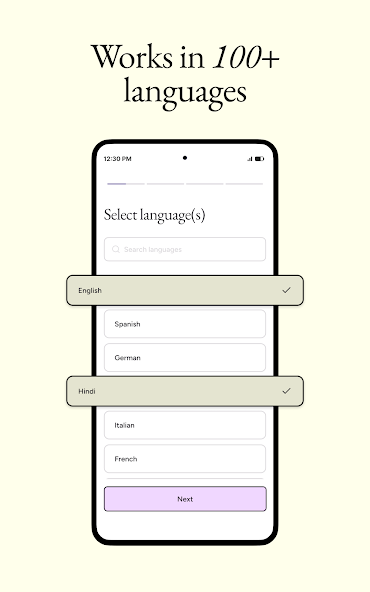
Wispr Flow currently supports more than 100 languages, including Hindi, and it can also handle code-switching such as Hinglish. You can configure your preferred languages and have Flow detect what you’re speaking at the start of a dictation session.
That’s important because the way people actually speak isn’t always perfectly one-language-at-a-time.
Especially in India, you might be speaking mostly English and suddenly say a Hindi phrase, use an Indian name, or switch between languages naturally. The fact that Flow is being built around that kind of real-world speech makes the product much more interesting than an English-only dictation tool.
The Biggest Change Wasn’t Speed
Wispr Flow talks a lot about speed, and the four-times-faster claim is obviously one of the most appealing parts of the product. But after actually using it, I think the bigger advantage is something slightly different.
It’s the reduction in friction.
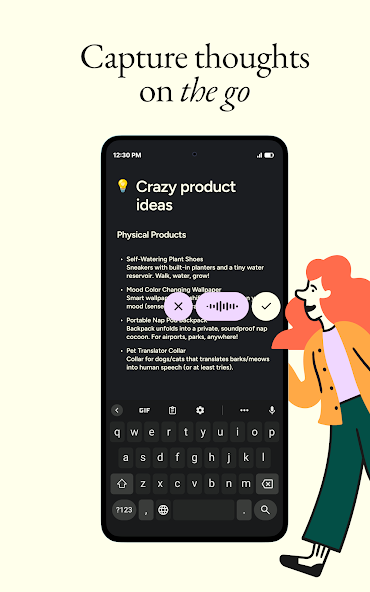
There are plenty of things I don’t write because typing them feels like too much effort. Maybe I have a rough idea for an article, a thought about a product, a long reply I need to send, or a random idea I want to explore. Before Flow, I’d either make myself type it out or tell myself I’d come back to it later.
Now I can just speak.
And that means I’m capturing far more of the things that otherwise would have disappeared.
That’s why I don’t think the biggest benefit of Flow is that you can type faster.
It’s that you can think out loud.
There Is One Adjustment You Need to Make
The biggest obstacle is probably psychological.
Talking to your computer feels weird at first. Even if nobody else is around, you might feel slightly ridiculous speaking out loud while looking at a screen. And initially, you might start dictating in this robotic way because you’re so used to the idea that you’re “using voice-to-text.”
The trick is to stop dictating. Just talk.
Once I stopped worrying about whether I was speaking correctly and started talking the way I would talk to another person, the experience became much more natural. And that’s when I started seeing the point.
Is Wispr Flow Worth It?
I think it depends on how much you communicate through a keyboard.
If you only write a few short messages a day, I’m not sure it’s going to completely change your life. But if you’re someone who spends hours every day writing emails, documents, messages, prompts, notes, scripts, or basically anything else that involves putting your thoughts into a computer, I think it’s worth trying.
There is also a pretty generous free version, which currently gives you speech-to-text across your apps and supports 100+ languages. The Pro plan adds unlimited dictation along with features such as advanced AI capabilities, and Wispr currently lists Pro at $15 per month or $12 per month when billed annually on its general pricing page.
For something that has become part of my everyday workflow, I can see why people would pay for it.
My Verdict
I’ve tried a lot of productivity tools that feel exciting for the first few days and then slowly disappear from my routine.
Wispr Flow didn’t feel like that.
The reason is simple: it solves a problem I actually have. I have more thoughts than I can comfortably type, and typing has always created a bottleneck between having the thought and doing something with it. Flow removes a big part of that bottleneck.
I still type. There are obviously situations where a keyboard makes more sense, especially when I’m editing, formatting, or doing something that requires precise control. But there are now plenty of situations where typing feels like the slower, more cumbersome option. An email, a WhatsApp message, a content idea, a rough draft, a note, a long prompt, or just something I don’t want to forget, I can simply say it.
And I think that’s the biggest shift Wispr Flow has created for me. I used to think the fastest way to get an idea onto my computer was to type faster.
Now I think the faster way is to stop typing altogether.
Try Wispr Flow Pro for 14 Days
You can try Wispr Flow Pro for 14 days here: www.aruj.me/wispr
I’d genuinely recommend trying it for a few days rather than judging it after five minutes. The first few dictations can feel a little strange because you’re learning a new way of interacting with your computer. Once you get comfortable simply speaking naturally, that’s when you start to understand why the product is interesting.
Final Thoughts
The keyboard has been the default way we’ve interacted with computers for decades, so it’s easy to assume that’s simply how things are supposed to work.
But the more I use Wispr Flow, the more I think that assumption is changing.
We can already speak to AI, ask our phones questions, and have software understand increasingly complex instructions. So why should writing an email or explaining an idea still require us to type every word with our fingers?
Wispr Flow isn’t perfect, and I don’t think voice is going to completely replace the keyboard. But it doesn’t need to.
It just needs to make talking to your computer feel easier than typing.
And for a lot of the things I do every day, I think it already does.